

Everyone starts a budget with good intentions. Then life happens.
You download a template, type in your income and spend a Sunday afternoon sorting last month’s bank transactions. It feels great. Three weeks later you’re behind and never look at the spreadsheet again.
Your budget doesn’t fail because you’re bad with money. They fail because it takes too much work for too little insight. It’s important to create a budget that works for you and regularly check in and adjust it when life changes. That only works if your budget is easy enough to keep alive.
In this article, we look at a different way to budget, the numbers that actually matter if you’re working towards financial independence, and a Google Sheets template built around that idea: SpendingSheet.
What is SpendingSheet?
SpendingSheet is a budget planner for Google Sheets. It has no subscription, no bank connection, and no account to create. You get your own copy in your own Google Drive, on your computer and on your phone.
The idea behind it is simple:
Budget your recurring life, not every receipt
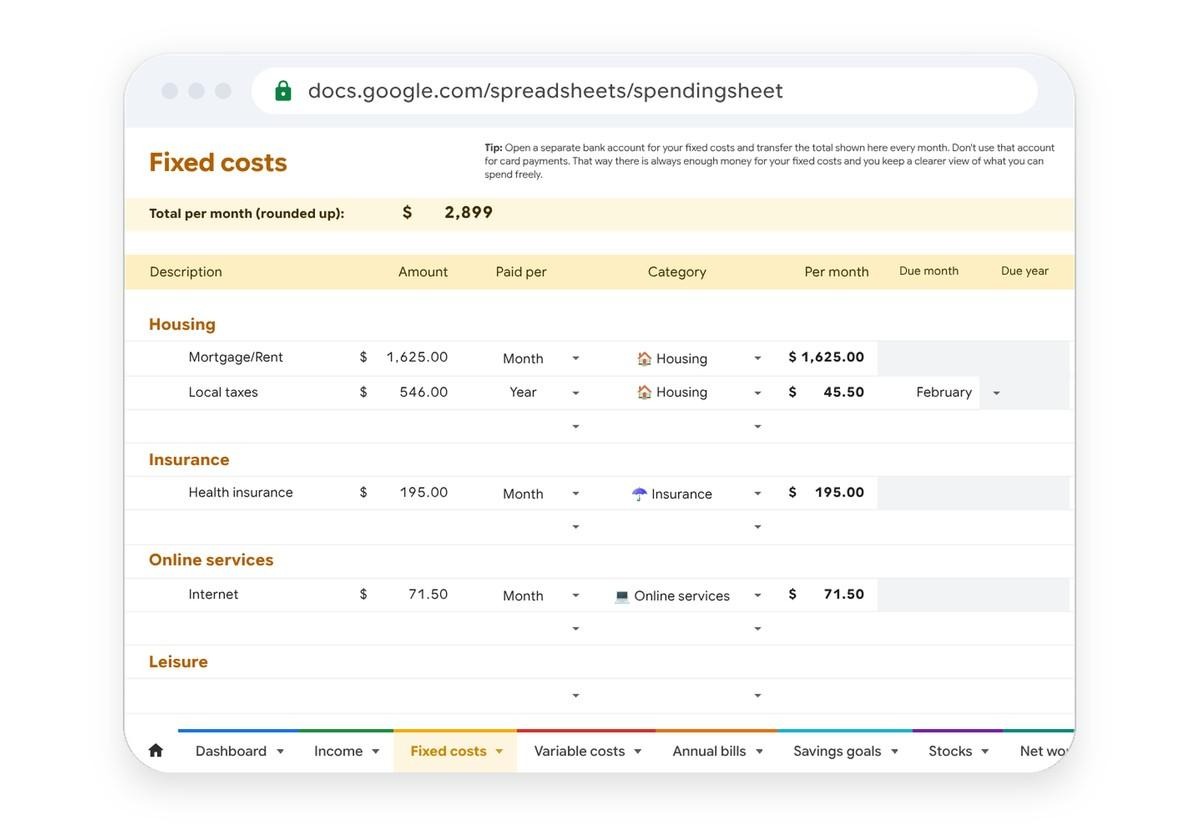
Most of your spending is predictable. Rent or mortgage, insurance, energy, internet, phone, streaming, the gym, the car, groceries. These amounts barely change from month to month, and for most households they make up the large majority of what leaves the account.
So instead of logging every purchase, you budget the recurring costs once and let the spreadsheet do the rest:
- Fill in your amounts once. Salary, rent, health insurance. Done.
- Use the period you actually pay in. Monthly, quarterly, every six weeks, once a year. The sheet turns everything into a monthly amount.
- Keep categories simple. Housing, food, insurance, transport, leisure, savings, investments, and a handful more.
- Review, don’t record. Check in when something changes: a raise, a new contract, a price increase.
It’s still worth tracking your actual spending for a month or two. That’s how you find out your eating-out budget is really double what you thought. After that, a clear picture of your fixed and variable costs, updated now and then, keeps you in control.
The numbers that matter on the road to FI
If you’re working towards financial independence, a budget is more than a spending limit. It’s your dashboard. These are the numbers SpendingSheet calculates for you.
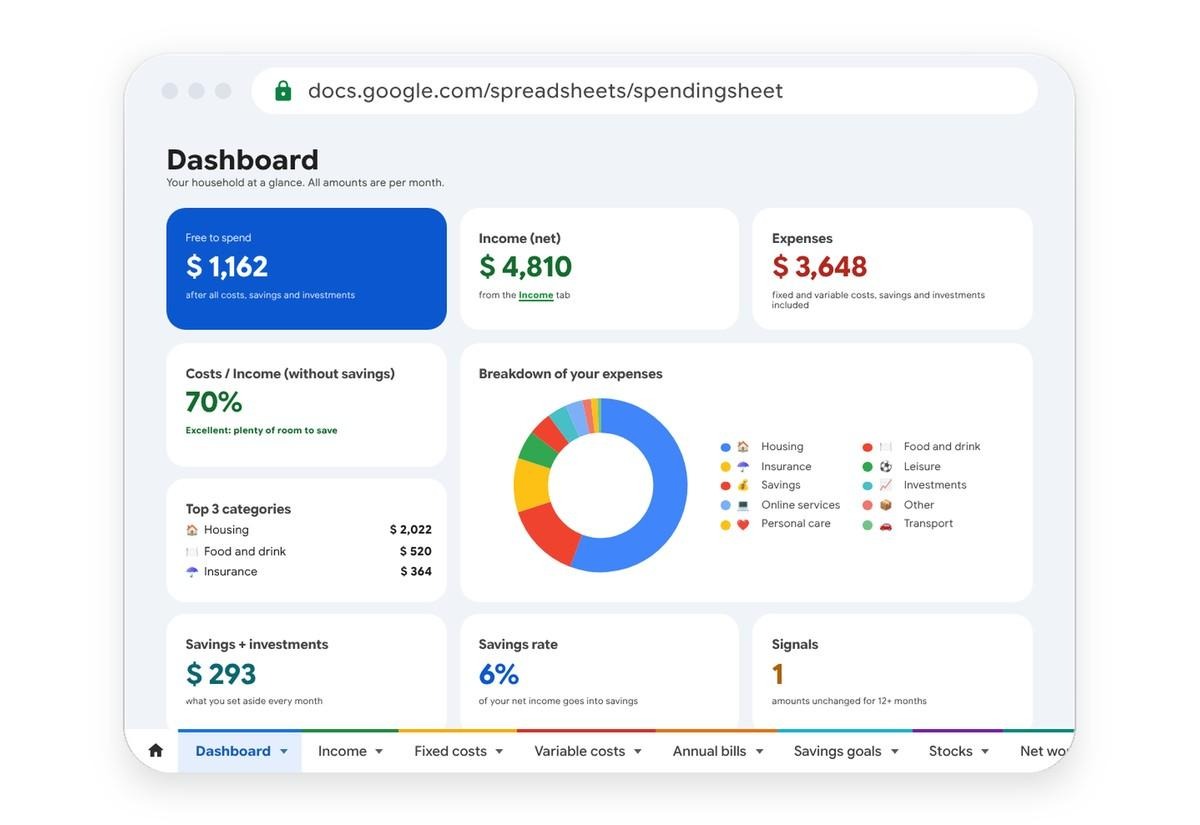
1. Your savings rate. How much you set aside matters more than squeezing an extra percent out of your investments. The dashboard shows what share of your net income goes into savings and investments.
2. What’s free to spend. Income minus fixed costs, variable costs, savings, and investments. Negative? You know before the month is over, not after.
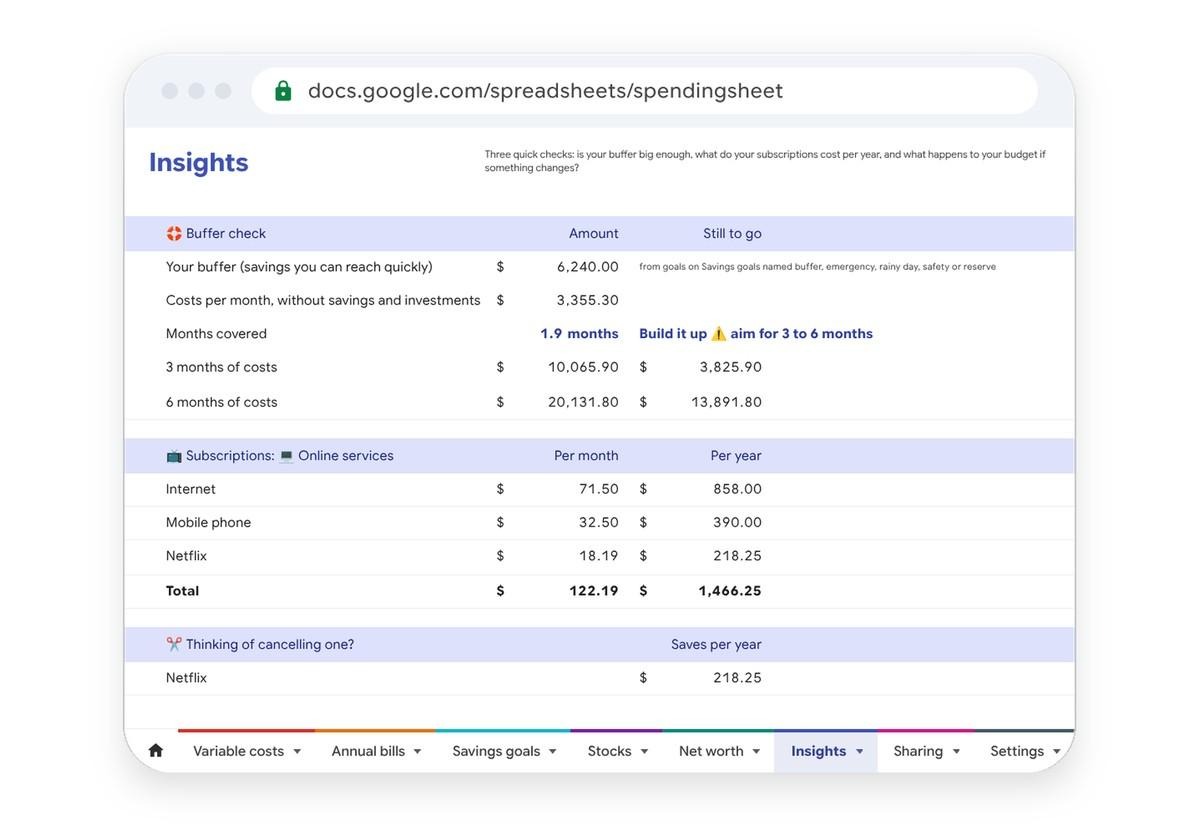
3. Your buffer. How many months of costs you could cover if your income stopped. The sheet nudges you towards three to six months, the range we also recommend for an emergency fund.
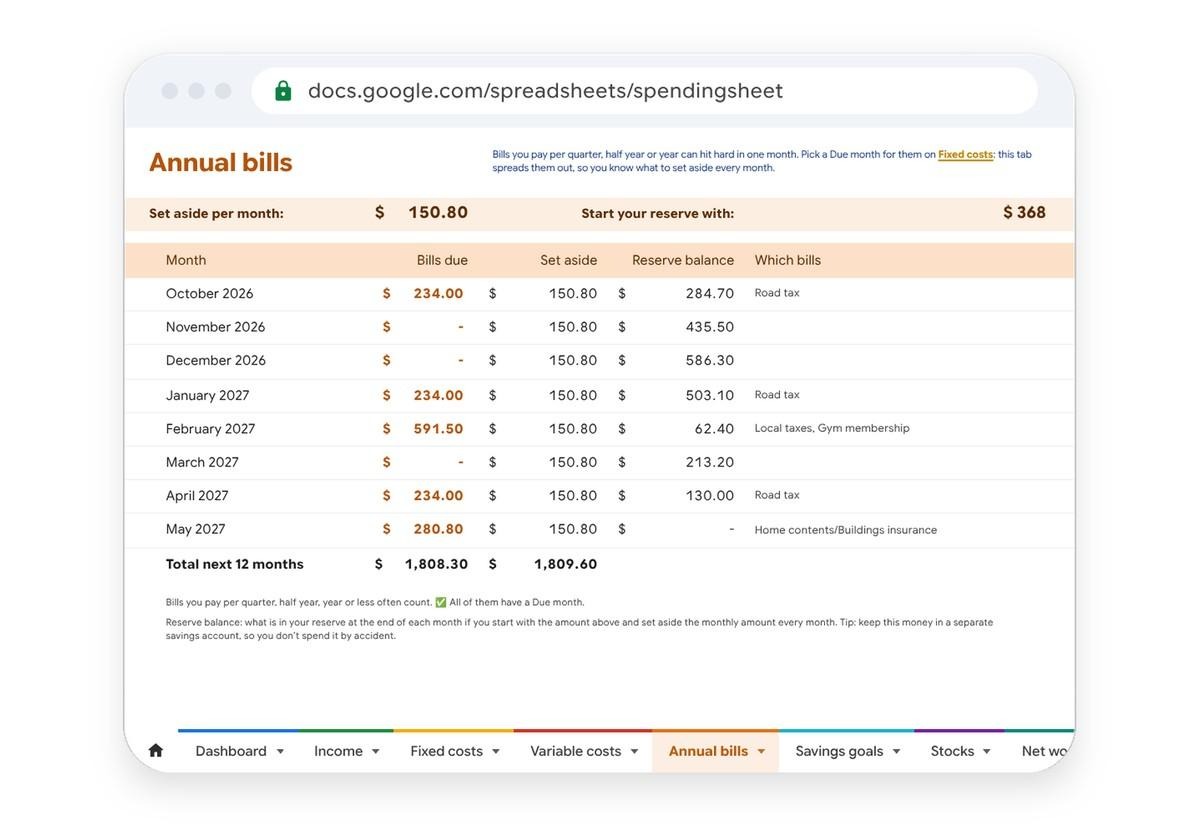
4. Annual bills, spread out. Car tax, home insurance, local taxes: yearly bills hit hard in one month. Give each a due month, and the sheet shows how much to set aside every month and how your reserve develops over the next twelve months.
5. Net worth and a debt-free date. What you own minus what you owe. For every loan, the sheet works out when it’s paid off and how much interest is still to come. Handy when you’re weighing up whether to pay off debt or invest.
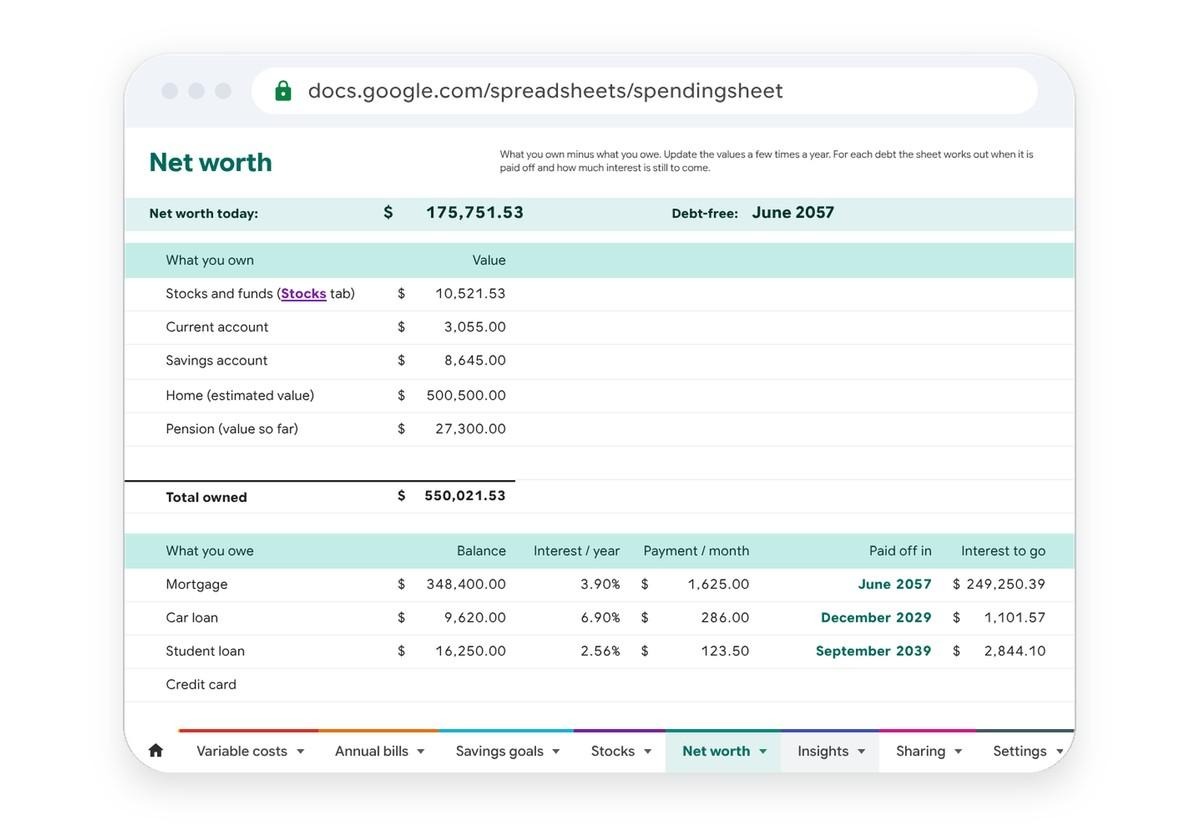
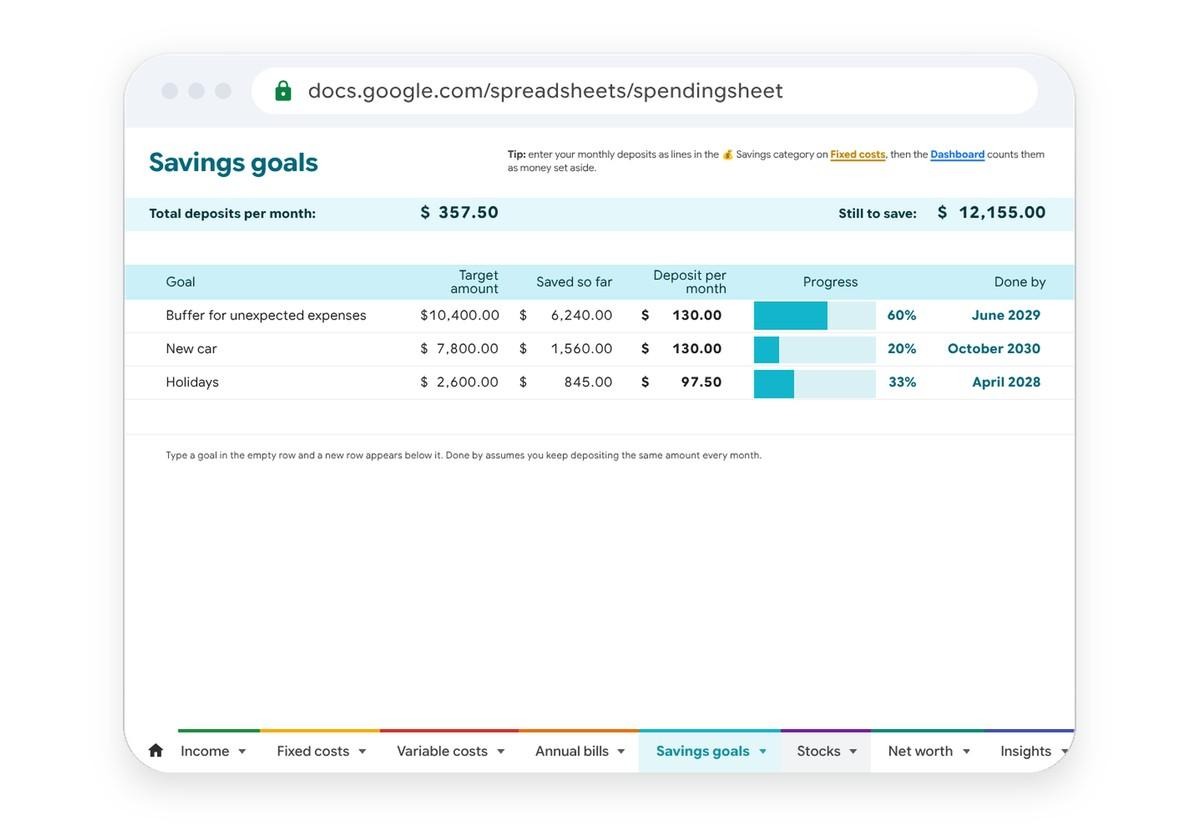
There’s also a yearly overview, a stocks tab with live prices from Google Finance, savings goals with a ‘done by’ date, a subscription check that shows what all your online services cost per year, and a tab to split shared costs with a partner. Badges for milestones, like saving 10 percent of your income or building a three-month buffer, help you stay motivated.
Your money, your data
SpendingSheet doesn’t connect to your bank and doesn’t ask you to create an account. The spreadsheet lives in your own Google Drive, so only you (and whoever you share it with) can see your numbers.
The trade-off is that nothing is imported automatically. For a budget built around recurring costs, that’s less of a downside than it sounds: you look at every amount consciously when you enter it.
How to set up your budget in one evening
Whether you use SpendingSheet, another template or pen and paper, this order works well:
- Start with your net income. Every regular salary, side hustle or benefit. Leave out bonuses you’re not sure about.
- List your fixed costs. Go through three months of bank statements: housing, insurance, energy, subscriptions, loans.
- Give yearly bills a due month. So you set money aside every month instead of being surprised.
- Estimate your variable costs. Groceries, eating out, clothes, personal care. Use what you actually spent.
- Pay yourself first. Add your monthly savings and investments as fixed costs.
- Look at what’s left. That’s your free-to-spend money.
- Set one or two goals. A buffer, a car, a holiday, a portfolio.
- Check in once a month. Ten minutes is enough.
Curious what it looks like? The SpendingSheet demo opens in your browser with example data, no Google account needed.
Is a spreadsheet budget right for you?
Personal finance is personal. A spreadsheet like this fits well if you want an overview without a subscription, prefer not to link your bank to an app, don’t mind Google Sheets, and care more about the big picture than about every ittle detail.
It’s probably not for you if you want every transaction imported automatically, or prefer envelope budgeting where every euro gets a job each day. An app like YNAB is built for that.
Frequently asked questions
Do I need spreadsheet skills? No. You type in descriptions and amounts; formulas, charts and new rows are already built in.
Does it work on a phone? Yes. There’s a version for your computer and one for your phone, both in the free Google Sheets app.
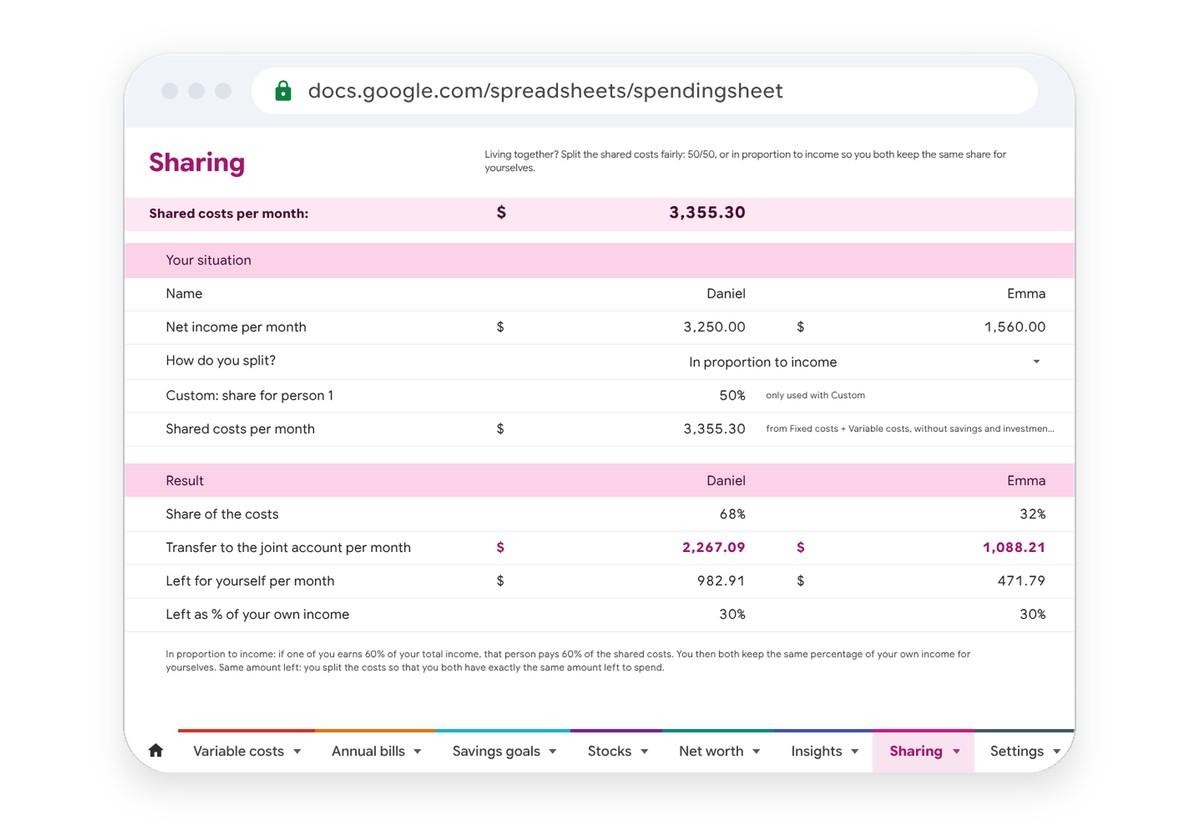
Can I share it with my partner? Yes. Share the file from Google Drive. There’s also a tab to split joint costs fairly.
Is it available in other languages? Yes, in ten languages including English, Dutch, German, Spanish, with over 30 different currencies built in.
Is a spreadsheet better than a budgeting app? If you like overview and insights, a spreadsheet is great. Apps are great for automatic tracking. Pick the one you’ll actually keep using.
So, What’s the Verdict?
The best budget isn’t the most detailed one. It’s the one you still open six months from now.
Start with your recurring costs, pay yourself first, keep an eye on your savings rate and buffer, and check in when life changes. Whatever you use, a template, an app or a notebook, the first step is the same: sit down this week and write down what comes in and what goes out.
Do you budget with a spreadsheet or an app? Let me know in the comments!

Founder of Spark Nomad, Radical FIRE, Journalist
Expertise: Personal finance and travel content
Education: Bachelor of Economics at Radboud University, Master in Finance at Radboud University, Minor in Economics at Chapman University.
Over 200 articles, essays, and short stories published across the web.
Experience: Marjolein is a journalist and founder of Radical FIRE, a personal finance platform, and Spark Nomad, a travel platform. Marjolein has a finance and economics background with a master’s in Finance. She has quit her job to travel the world, documenting her travels on Spark Nomad to help people plan their travels. Marjolein has written for publications like MSN, Associated Press, CNBC, Town News syndicate, and more.