
If you run a blog, you know how often your photo library is the thing holding a post back. That old shot from a trip three years ago that would be perfect for this week’s post? It’s 800 pixels wide and looks fuzzy blown up to a header image. That photo of your gear you wanted to use for an “about me” section? The background is a messy hotel room instead of something clean.
Cloud-based background removers and upscalers can fix both problems, but they come with their own friction: uploading files, burning through credits, waiting on a server queue. Creative Fabrica just released a free Windows and Mac app that runs those same tools locally instead, so I installed it and ran a couple of real blog photos through it to see how it holds up.
What Is Creative Fabrica Studio Desktop?
Creative Fabrica Studio Desktop is a desktop app that connects to Creative Fabrica Studio and lets you install and run free local AI tools right on your own computer. It ships with four free local models: Background Remover, Upscaler, Image Generator, and Voice Generator. Once you sign in with a free account (no card needed) and download a tool’s model, that tool runs on your device instead of sending your files to a server.
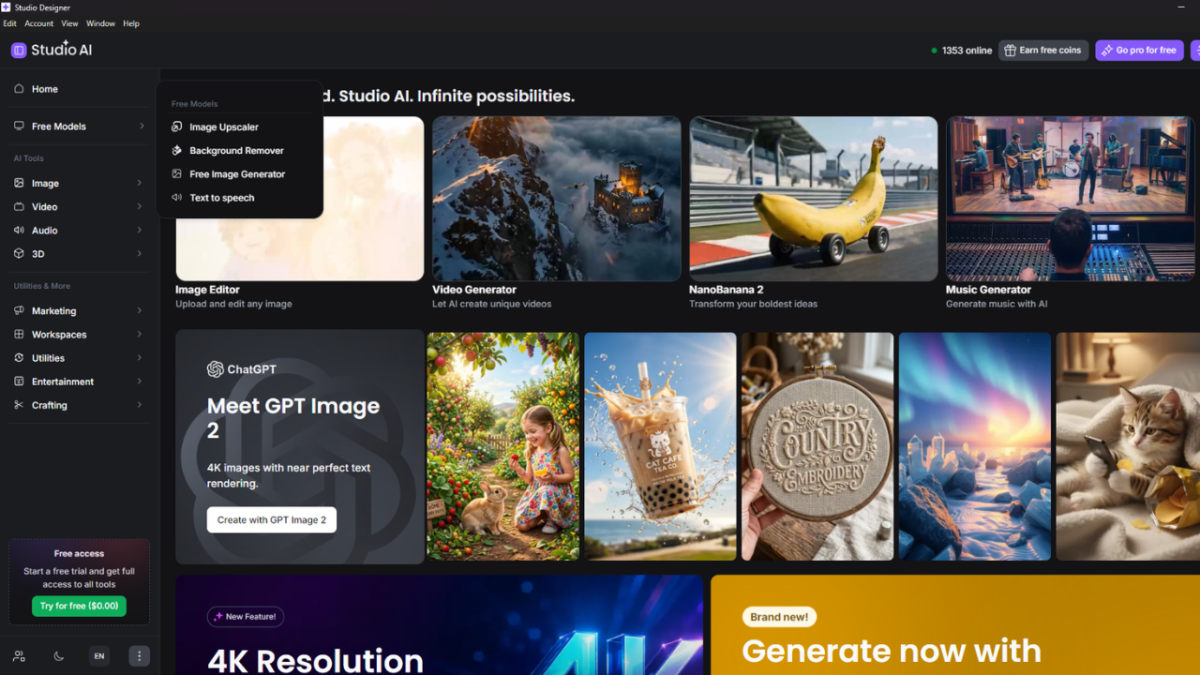
Worth knowing: the free local models aren’t everything this tool offers. The same app also gives you access to paid, cloud-based premium models (their listing mentions options like SeeDream 2.0, NanoBanana Pro, GPT Image 2, and Kling) if you ever want higher-end quality without switching to a different tool. That’s entirely optional though, the four local models are free and unlimited on their own.
Installation was quick: about a minute from download to open app, no setup wizard beyond signing in.
Testing It on an Old Travel Photo
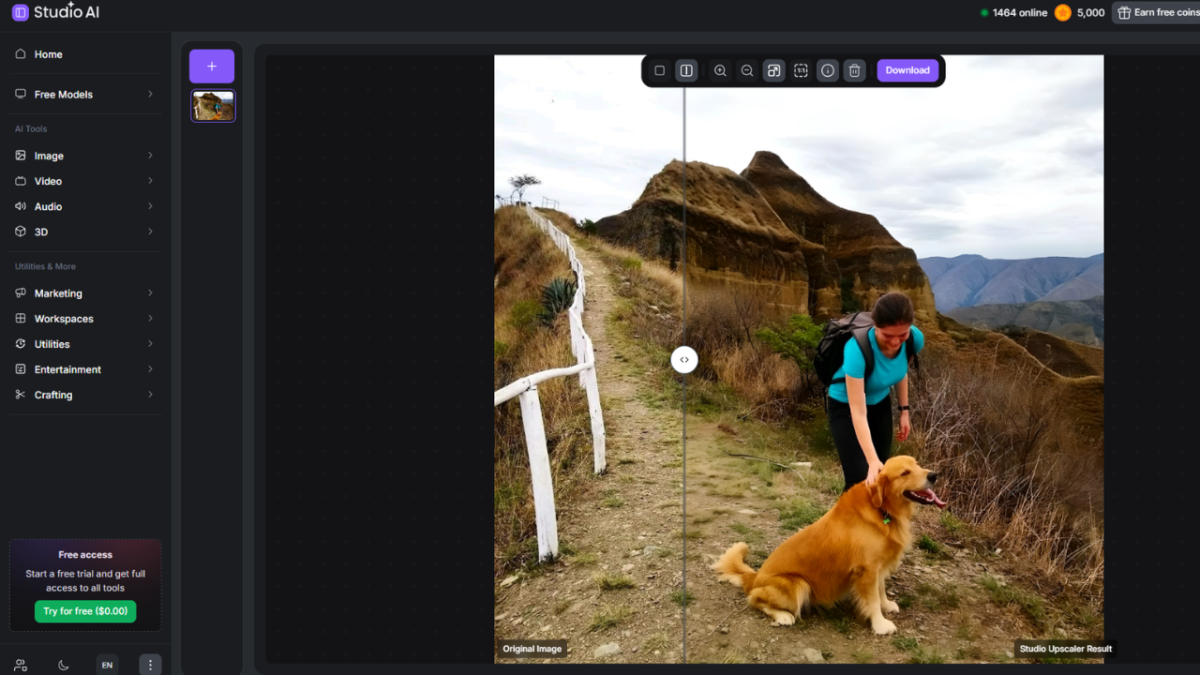
To see how it performs, I dug up an old photo from a trip a few years back. The kind of shot that’s a little too low-res to use as a full-width header image today. I opened the Upscaler under Free Models, downloaded its model, and ran the photo through it. It came out noticeably sharper, with clean edges instead of the soft, blurry look I started with. You should take a look at the pebbles towards the bottom of the image. They are so much sharper with the Upscaler results. That’s a photo I can now actually use again, instead of leaving it buried in an old folder.
Then I tested the offline background remover on a portrait shot I’d been meaning to use for a bio photo, but the background was cluttered. It picked out the edges cleanly, including some fine detail around the hair, and gave me a transparent PNG I could drop onto a plain backdrop instead. Because both tools live in the same app, I didn’t need to export and reimport between steps.
Who Is This Best For?
- Travel and lifestyle bloggers reviving older, lower-resolution photos for new posts
- Anyone prepping a clean headshot or bio photo without a photo studio
- Print-on-demand or Cricut creators who need transparent PNGs
- Designers or small business owners who want fewer steps between raw image and finished asset
- Content creators who want a quick voiceover without recording their own audio
Pros and Limitations
Pros:
- Free local AI tools, no credit card required
- Works on both Windows and Mac
- Handles two of the most common creator tasks (background removal and upscaling) well
- Comes with a couple of useful extras (Image Generator, Voice Generator) beyond the core two tools
- Optional premium cloud models are available in the same app if you ever want them, without switching tools
- Fits directly into the existing Creative Fabrica Studio workflow
Limitations to know about:
- Performance depends somewhat on your computer’s specs; older devices will be slower
- Each tool’s model needs to download once before first use
- A free account is required to sign in, even though no payment details are needed
- Some Studio features still rely on an internet connection or a Creative Fabrica account. It’s the individual local tools that run offline, not the entire app
Balanced expectations aside, for the specific jobs it’s built for (background removal and upscaling), it did what it promised without asking me to upload my files or track a credit balance.
Frequently Asked Questions
Is Creative Fabrica Studio Desktop free? Yes. The app and its supported local AI tools are free to download and use, no credit card required.
Does the background remover run locally? Yes, once its model is downloaded, background removal runs on your own computer.
Does it work on Windows and Mac? Yes, both.
Can I use it to upscale old or low-resolution photos? Yes, that’s exactly what I tested it on, and the sharper result was usable right away.
Do I need an internet connection? You’ll need one to install the app and download each tool’s model initially. After that, supported local tools run without uploading your images.
Do I need to create an account? Yes, a free one, but no card or payment info required.
What to Use This For?
If you’ve got a backlog of older, lower-res photos you’ve been avoiding, or you just want a cleaner bio photo without a full photoshoot, this free AI image upscaler for desktop and the background remover next to it are worth a look. It won’t replace every cloud tool out there, but for the two most repetitive image-cleanup tasks, having a free, local option that doesn’t touch your files is a genuinely useful addition to a blogger’s toolkit.

Founder of Spark Nomad, Radical FIRE, Journalist
Expertise: Personal finance and travel content
Education: Bachelor of Economics at Radboud University, Master in Finance at Radboud University, Minor in Economics at Chapman University.
Over 200 articles, essays, and short stories published across the web.
Experience: Marjolein is a journalist and founder of Radical FIRE, a personal finance platform, and Spark Nomad, a travel platform. Marjolein has a finance and economics background with a master’s in Finance. She has quit her job to travel the world, documenting her travels on Spark Nomad to help people plan their travels. Marjolein has written for publications like MSN, Associated Press, CNBC, Town News syndicate, and more.